Top 10 Tips for Creating Photorealistic Animals with AI
Generating lifelike wildlife or pets using artificial intelligence can be incredibly rewarding, but it often requires a specific approach to get things just right. This collection of techniques focuses on the most effective strategies for prompting image generators to produce animals that look like actual photographs rather than digital paintings or cartoons. Whether you're using Midjourney, DALL-E, or another platform, mastering these methods will elevate your results.
-
Specify the Camera Lens and Settings
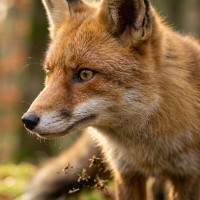
Adding exact photographic terminology to your prompt helps the AI understand you want a photo rather than an illustration. Mentioning things like a macro lens, a specific focal length such as 85mm, or an aperture like f/1.8 gives the image realistic depth of field. It's a fantastic way to ensure your animal subject stands out sharply against a beautifully blurred background.
-
Name the Exact Species or Breed
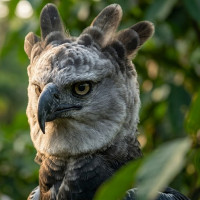
Generic terms like bird or dog often lead the AI to generate a mashed-up, unrealistic hybrid that doesn't look quite right. Providing the precise scientific or common name, like Harpy Eagle or Golden Retriever, forces the model to pull from specific reference data. This results in far more accurate anatomy, fur patterns, and overall proportions.
-
Describe the Lighting Conditions
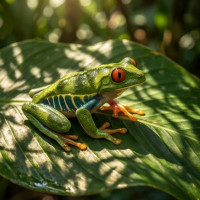
Lighting is one of the most crucial elements in photography and the same rule applies to AI generation. Ask for natural lighting setups like golden hour, overcast sky, or dappled sunlight to give your animal's fur or feathers realistic highlights and shadows. Avoiding generic lighting terms prevents the final output from looking flat or overly artificial.
-
Include Texture and Detail Keywords
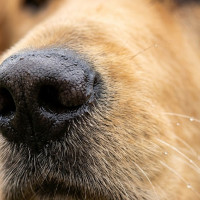
To achieve true photorealism, the AI needs a little push to render the tiny details that make an animal look alive. Words like highly detailed, sharp focus, wet nose, or individual hairs instruct the model to pay attention to the micro-textures. This prevents the smooth, plastic-like appearance that sometimes ruins otherwise great generations.
-
Establish a Realistic Environment
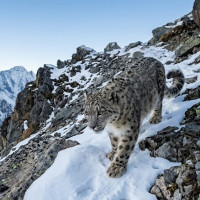
Placing your animal in a natural, believable habitat grounds the image in reality. If you're generating a snow leopard, describing a rocky, snow-dusted alpine ridge makes the entire scene more convincing than a blank or generic background. The interaction between the animal and its environment, like snow on its paws, sells the illusion of a real photograph.
-
Add Imperfections and Asymmetry
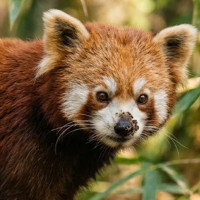
Real animals are rarely perfectly symmetrical or completely flawless in their appearance. Prompting for slight imperfections, like a chipped beak, a ruffled patch of fur, or a bit of dirt on their snout, makes the subject feel much more authentic. These tiny flaws trick the eye into believing the image was captured in the wild rather than generated by a computer.
-
Direct the Animal's Pose and Action
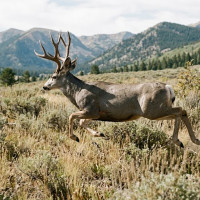
Static, forward-facing poses can sometimes look like taxidermy rather than a living creature. Describing a natural action, such as a cat grooming itself or a deer mid-stride, injects life and movement into the composition. Dynamic postures require the AI to generate realistic muscle tension and weight distribution.
-
Use Reference Images
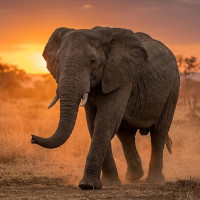
Many advanced AI tools allow you to upload a starting image to guide the generation process. Using a real photograph of an animal as an image prompt helps lock in the correct anatomy and texture right from the beginning. It's an excellent foundation that you can then modify with your text prompt to get the exact lighting or environment you want.
-
Avoid Illustration or Art Keywords
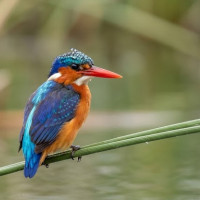
It's remarkably easy to accidentally slip words into your prompt that tell the model to create a drawing. Ensure you remove terms like digital art, painting, illustration, or even stylized from your negative or positive prompts. Keeping your vocabulary strictly rooted in photography ensures the model stays firmly in a photorealistic mindset.
-
Iterate and Refine
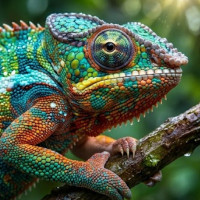
It's rare to get a flawless, photorealistic animal on your very first try with any AI tool. Generating multiple variations and carefully tweaking your prompt based on what works is a necessary part of the process. You'll quickly learn which specific keywords your chosen model responds to best for rendering realistic fur, scales, or feathers.